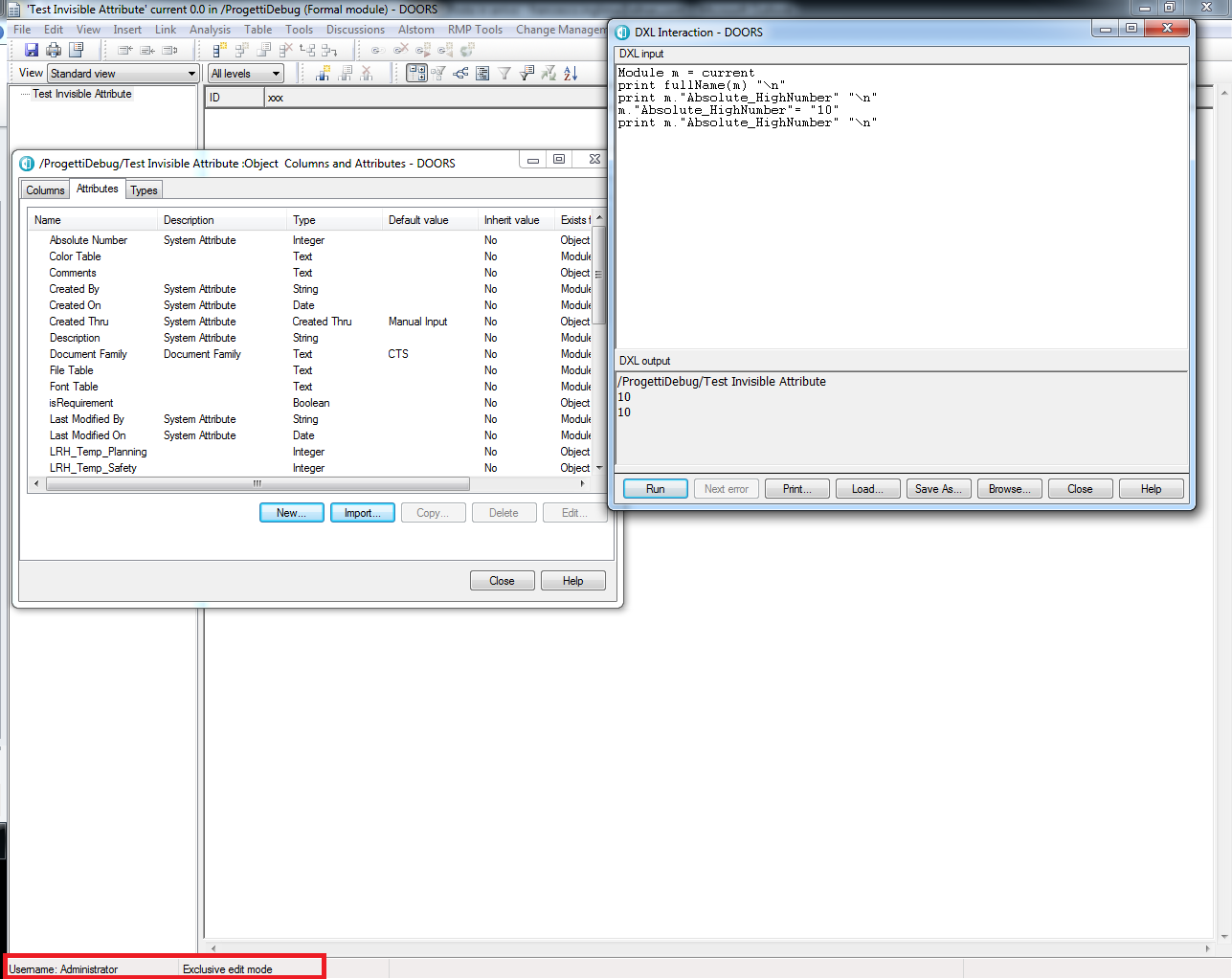
Hi i have a very weird issue. I am using a script that write on a module attribute called "XXX". The script work fine. If i run the code:
it print the right value. The issue is that i don't find XXX attribute in the attribute list or in the module properties. How is it possible? Surely is very stupid things but i can't find a solution bungle_77 - Mon Sep 01 06:34:39 EDT 2014 |
Re: Module attribute not visible Maybe you have "none" access to the attribute DEFINITION, but at least "R" to the attribute VALUES. Attr DEFS let you change the attribute, such as turning on/off History. Attr VALUES let you deal with the object values of the attribute. Check it out as the "Administrator". -Louie |
Re: Module attribute not visible Even if there is None access at the definition and value levels of the attribute you should still see it listed with some <access denied> fields. Also, what you see with DXL you should be able to see with the GUI as well. Are you sure you don't have multiple modules open and the DXL interaction dialog is associated with one of the other modules you have open? Adding this will help avoid any module mix ups: print fullName(m) "\n" |
Re: Module attribute not visible Hi as you can see in my attached file I am logged as Administrator and only that module has been opened.
Attachments TestDoors.png |
Re: Module attribute not visible It is also possible to hide Attribute definitions with DXL. So, check with DXL if it is hidden and if you want unhide it.
AttrDef ad = find(current Module, "XXX")

if(!null ad)
{
    if(ad.hidden) then print ad.name " is a hidden attribute."
}
//unhide attribute
ad = modify(ad, setHidden, false)
-Tobi-
|
Re: Module attribute not visible There are also "reserved" attributes that I don't understand... |
Re: Module attribute not visible bungle_77 - Thu Sep 04 12:31:24 EDT 2014 Hi as you can see in my attached file I am logged as Administrator and only that module has been opened.
Do you see the attribute in the module properties? /sekrbo |